

In the digital era, visual content has become an integral part of communication, both for individuals and businesses. Animated videos, in particular, have gained significant popularity due to their ability to convey complex ideas in an engaging and entertaining manner. Toonly™, an innovative software tool, has emerged as a go-to platform for easily creating professional animated videos. In this article, we will explore the features and benefits of Toonly™, and how it simplifies the process of animated video production.
I. What is Toonly™? Toonly™ is an intuitive and user-friendly software that empowers users to create animated videos without requiring any technical expertise. It provides a vast library of pre-designed characters, backgrounds, props, and templates, allowing users to customize their videos according to their unique requirements. The drag-and-drop interface enables seamless editing and animation, making it accessible even to those with minimal design experience.
II. Features and Benefits:
- Extensive Library: Toonly™ offers a diverse range of characters, backgrounds, and props, enabling users to create visually appealing and engaging animated videos. With thousands of assets available, users have a wide variety of options to choose from, ensuring their videos match their specific needs and target audience.
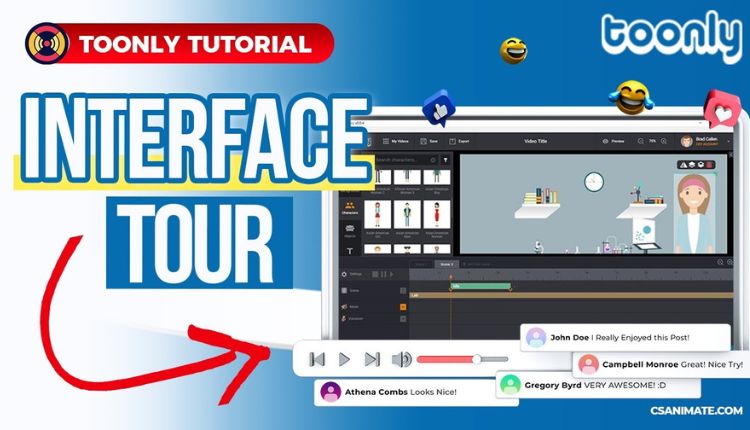
- User-Friendly Interface: The software’s interface is designed with simplicity in mind, making it easy for users to navigate and create their animated videos. The drag-and-drop functionality eliminates the need for complex coding or design skills, allowing users to focus on crafting their message rather than getting caught up in technicalities.
- Customization Options: Toonly™ enables users to personalize their videos by customizing characters, objects, and backgrounds. This flexibility ensures that the final product aligns with the user’s branding and storytelling style, resulting in a more impactful and memorable video.
- Animation Effects: Toonly™ provides a range of animation effects, such as transitions, movements, and gestures, to bring the characters and objects to life. These effects add visual appeal and enhance the overall quality of the animated video, making it more engaging and captivating for viewers.
- Versatile Applications: Whether it’s for educational purposes, marketing campaigns, explainer videos, or social media content, Toonly™ caters to various use cases. The software’s versatility makes it suitable for individuals, small businesses, marketers, educators, and content creators alike.
III. How Toonly™ Simplifies Animated Video Creation:
- Time Efficiency: Creating animated videos from scratch can be time-consuming and labor-intensive. Toonly™ streamlines the process by providing ready-made assets and templates, significantly reducing the time and effort required to create high-quality videos.
- Cost-Effectiveness: Hiring professional animators or investing in complex software can be expensive. Toonly™ offers an affordable alternative, eliminating the need for external resources and making animated video creation accessible to a broader audience.
- No Technical Expertise Required: Toonly™ is designed for individuals without any prior animation or design experience. The intuitive interface and straightforward features enable users to create animated videos without the need for specialized skills, empowering them to express their ideas visually.
Conclusion:
Toonly™ has revolutionized the way animated videos are created by providing a user-friendly platform that simplifies the entire process. Its extensive library, customization options, animation effects, and versatile applications make it a powerful tool for individuals and businesses seeking to communicate their message effectively. With Toonly™, anyone can become an animator, unlocking their creative potential and reaching their target audience through visually captivating videos.
FAQs:
- Can I try Toonly™ before purchasing? Yes, Toonly™ offers a 30-day money-back guarantee, ensuring customer satisfaction. You can explore the software, test its features, and decide if it meets your requirements within the trial period.
- Is Toonly™ compatible with both Windows and Mac? Yes, Toonly™ is compatible with both Windows and Mac operating systems, providing users with flexibility regardless of their preferred platform.
- Can I import my own assets into Toonly™? At present, Toonly™ does not support importing external assets. However, the software provides a vast library of pre-designed elements, characters, and backgrounds to choose from, ensuring you have a wide range of options for customization.
- Are there any monthly or annual subscription plans? Toonly™ offers both monthly and annual subscription plans. The annual plan provides cost savings compared to the monthly option, making it a popular choice among frequent users.
- Can I use Toonly™ for commercial purposes? Absolutely! Toonly™ can be used for both personal and commercial purposes, allowing you to create animated videos for marketing campaigns, educational content, social media, and more.
Remember, the above FAQs are based on general information and may be subject to change. For the most accurate and up-to-date information, refer to the Toonly™ official website.
